






News Center / Install MovieBoxPro by Sideloadly
Install MovieBoxPro by Sideloadly
Step 1 Install Slideloadly on your PC/Mac
Slideloadly is a PC/MAC software that allows you to install apps on your ios device safely and without jailbreak.The principle is that Apple allows anyone to debug apps on their device, but only 7 days expire.
Download URL: https://pangu8.com/sideloadly/
Step 2 Install iTunes From Apple
If you have a MAC or already have iTunes installed, please ignore this step.
https://www.apple.com/itunes/download/win64
https://www.apple.com/itunes/download/win32
(Do not install versions from the Microsoft Store.)
Step 3 Install IPA file to your iOS Device by Slideloadly.
- 1. Connect the iOS device with PC/Mac.
- Click Here to open Sideloadly and automatically download the IPA file
- Or
- Manual open Sideloadly, Drag the downloaded IPA (https://www.movieboxpro.app/ipa ) file into Sideloadly.
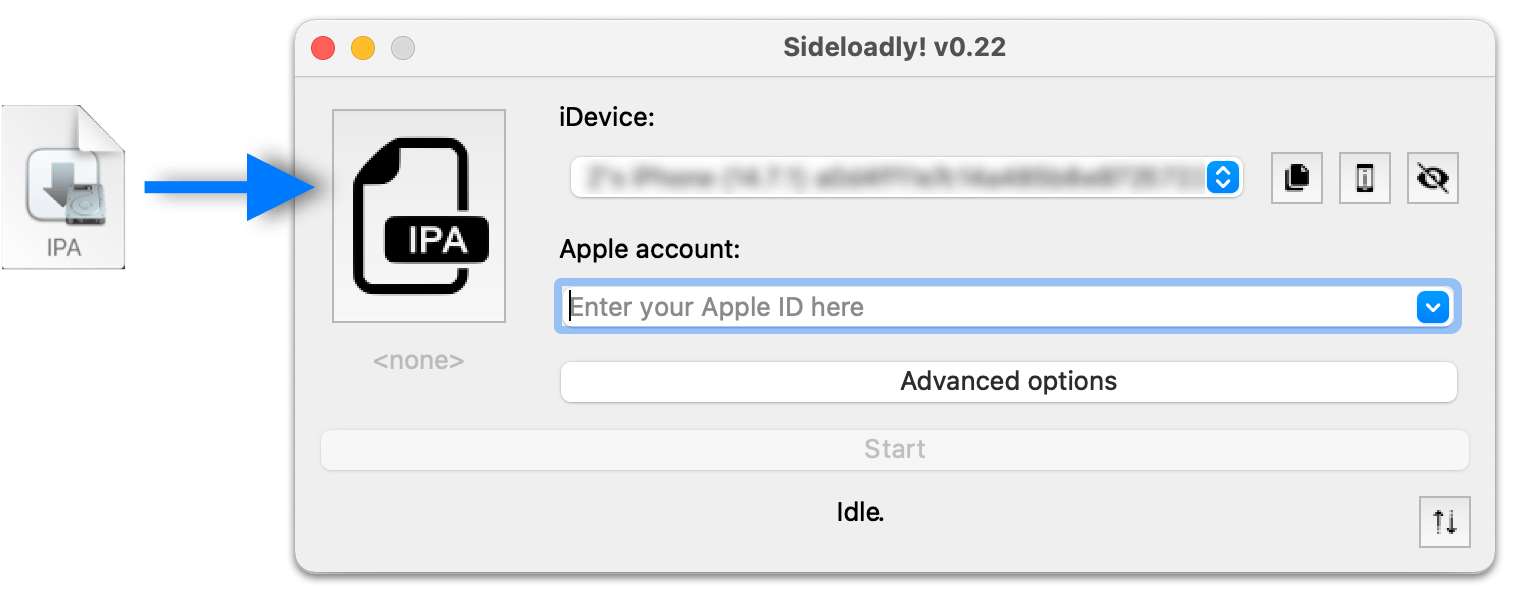
2. Provide Apple ID and the Password. (Only sent to Apple Servers.)
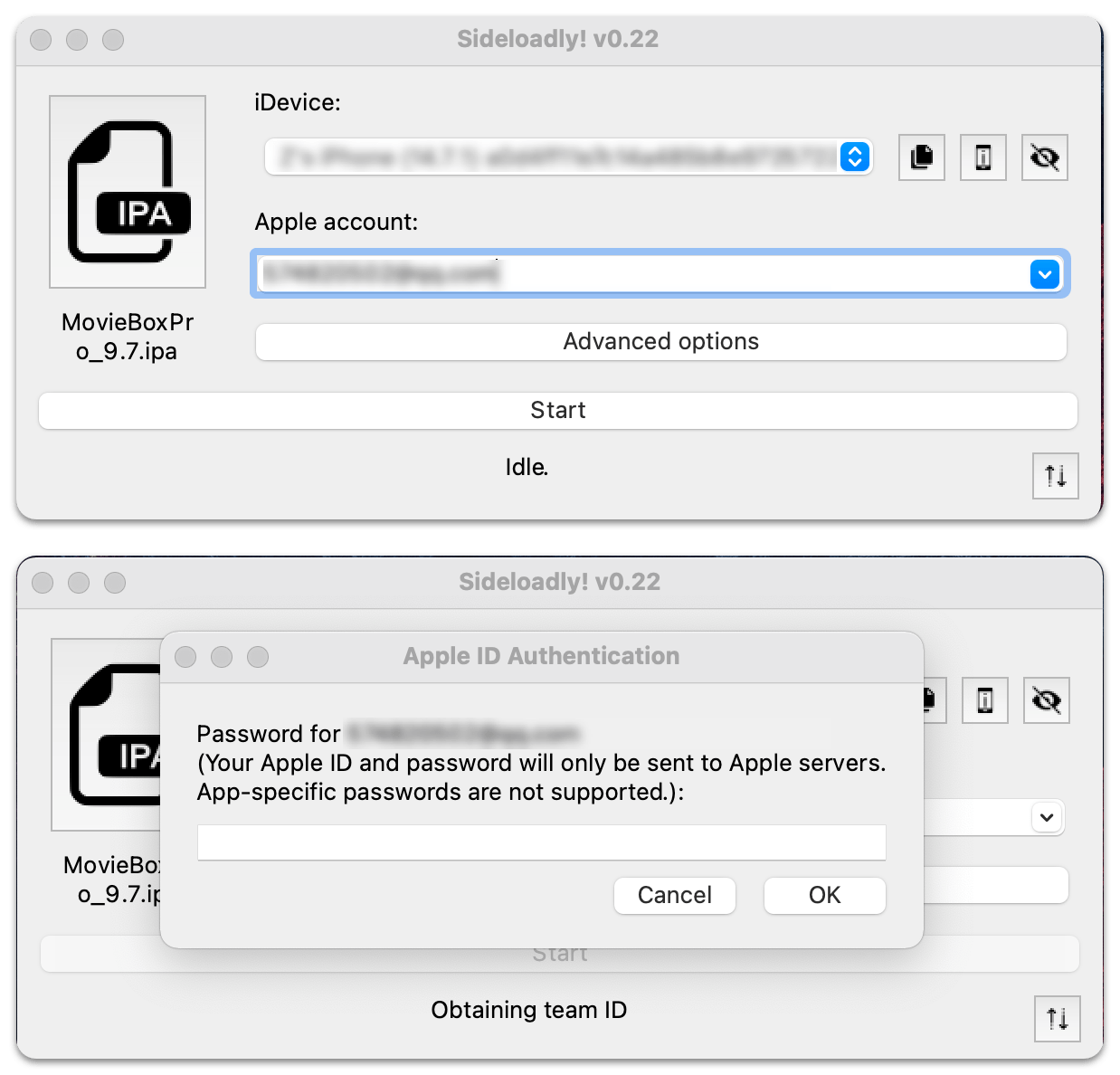
3. Verify it using Apple ID verification code.

4. Waiting until completing the process of installing IPA.
5. Open your iOS Device, Go to "Settings > Profiles and devices management > trust the developer".
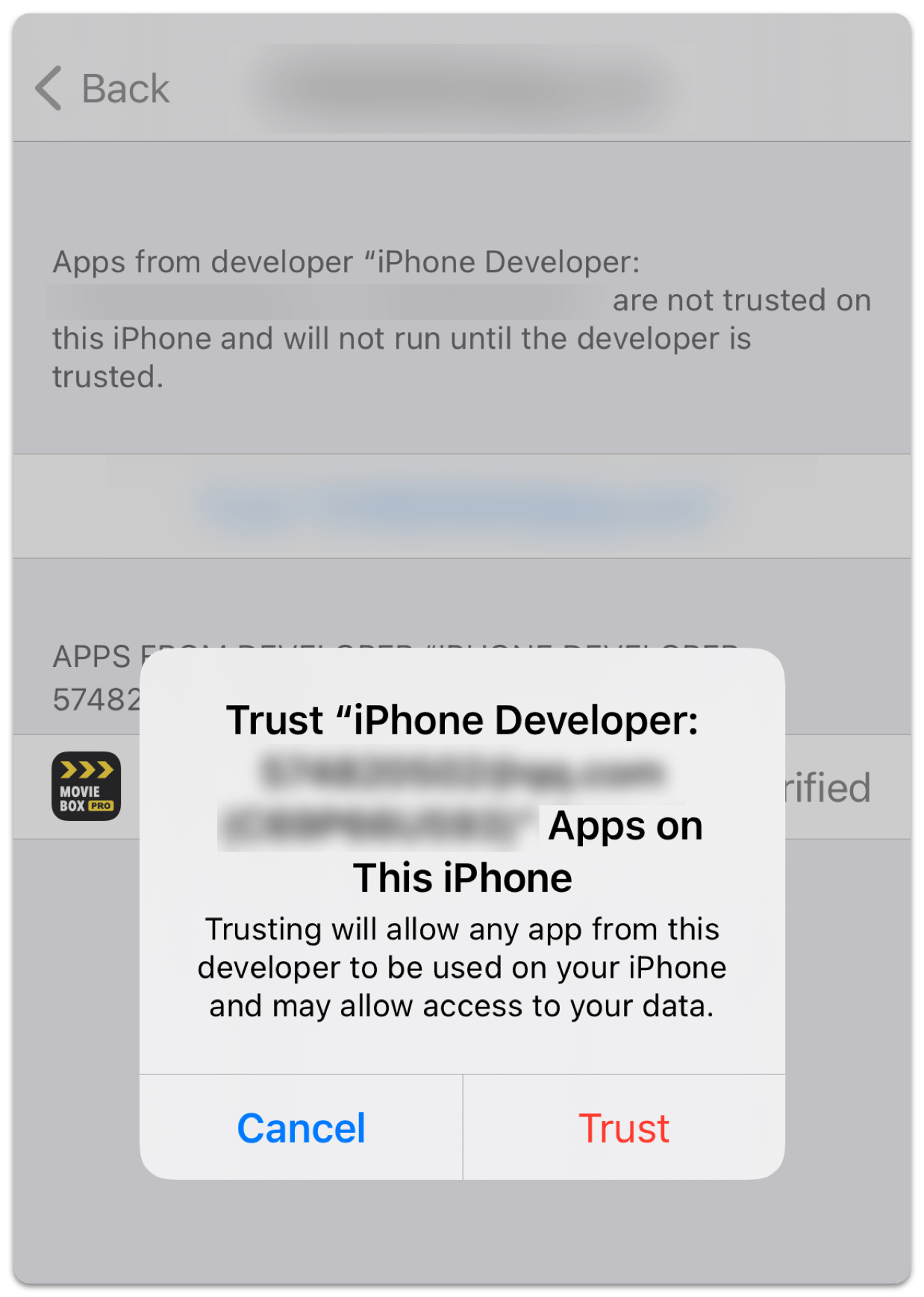
Done!
There are some devices that need to be rebooted to see the icons.
Attention: You need to reinstall every 7 days.
Add to your calendar to remind me.
Next time you need to connect your iPhone to your computer, just click the "Start" button on Sideloadly and you're ready to go.
The steps related to entering your Apple username and password in step 3 do not need to be done again, as they are already saved on your computer.
